Building the Astro Blog TUI Editor: A Developer's Journey
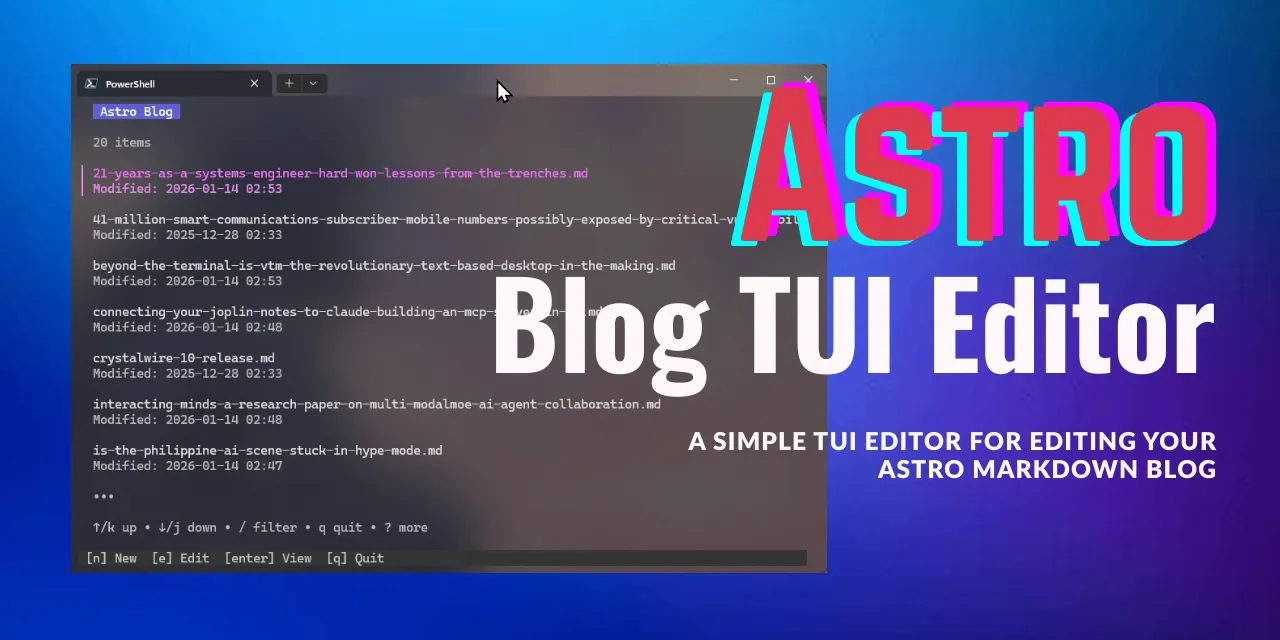
Image Credit: Antigravity
As a developer who spends most of my time in the terminal, I’ve always found web-based Content Management Systems (CMS) to be a bit… cumbersome. When I started my Astro blog, I wanted a way to manage my posts without leaving my terminal. That’s why I built the Astro Blog TUI Editor.
The Vision
The goal was simple: Create a fast, efficient, and aesthetically pleasing terminal application to:
- Browse existing blog posts.
- Preview posts with rich markdown formatting.
- Edit posts with Vim-inspired precision.
- Create new posts from a smart template.
The Technology Stack
I chose Go for this project because of its excellent concurrency support and its growing ecosystem for terminal tools. Specifically, I leveraged the Charmbracelet suite:
- Bubble Tea: For the Elm-inspired architecture that manages state across the app.
- Lipgloss: To create a beautiful, customized UI with colors, borders, and layouts.
- Bubbles: For pre-built TUI components like the list view and text inputs.
- Glamour: For high-quality markdown rendering directly in the terminal.
Core Architecture
The application follows the Elm Architecture (Model-Update-View). The heart of the editor is the Model struct, which tracks the application state:
type Model struct {
    List            list.Model
    Viewport        viewport.Model
    Textarea        textarea.Model
    State           State
    VimMode         VimMode
    // ... other fields
}
The Update function handles state transitions based on key messages. For example, switching from the list view to the editor state loads the markdown content into the textarea component.
Key Features
Vim-inspired Editing
One of the most exciting parts of this project was implementing Vim modes. The editor supports:
- Normal Mode: Navigation and commands.
- Insert Mode: Standard text editing.
- Visual Mode: Selecting text blocks for yanking (copying) or cutting.
We integrated with the system clipboard, so you can y (yank) in Visual mode and p (paste) content from other applications!
Smart Templates
To speed up post creation, the editor uses a template.md file. It automatically populates the pubDate and parses frontmatter, so you can focus on the content immediately.
Lessons Learned
Building a TUI comes with unique challenges. Handling window resizing, managing focus across multiple inputs, and ensuring smooth navigation in a terminal environment required careful state management.
The biggest takeaway? The terminal is a remarkably powerful canvas for building productive tools when you have the right frameworks like Charmbracelet.
What’s Next?
The Astro Blog TUI Editor is just getting started. I’m planning to add:
- Integrated Git support for committing and pushing directly from the editor.
- More advanced Vim keybindings (like
f,t, andciw). - Image upload integration for easier cover image management.
If you’re a terminal lover building with Astro, give it a try! You can find the source code on GitHub.
Happy coding!
Last modified: 9 Jun 2026